Reminisce reads the photo library already on your phone, works out which moments mattered, and turns them into memories you receive by email and can browse on the web. Here is what that means in practice.
One memory story a week, in your inbox
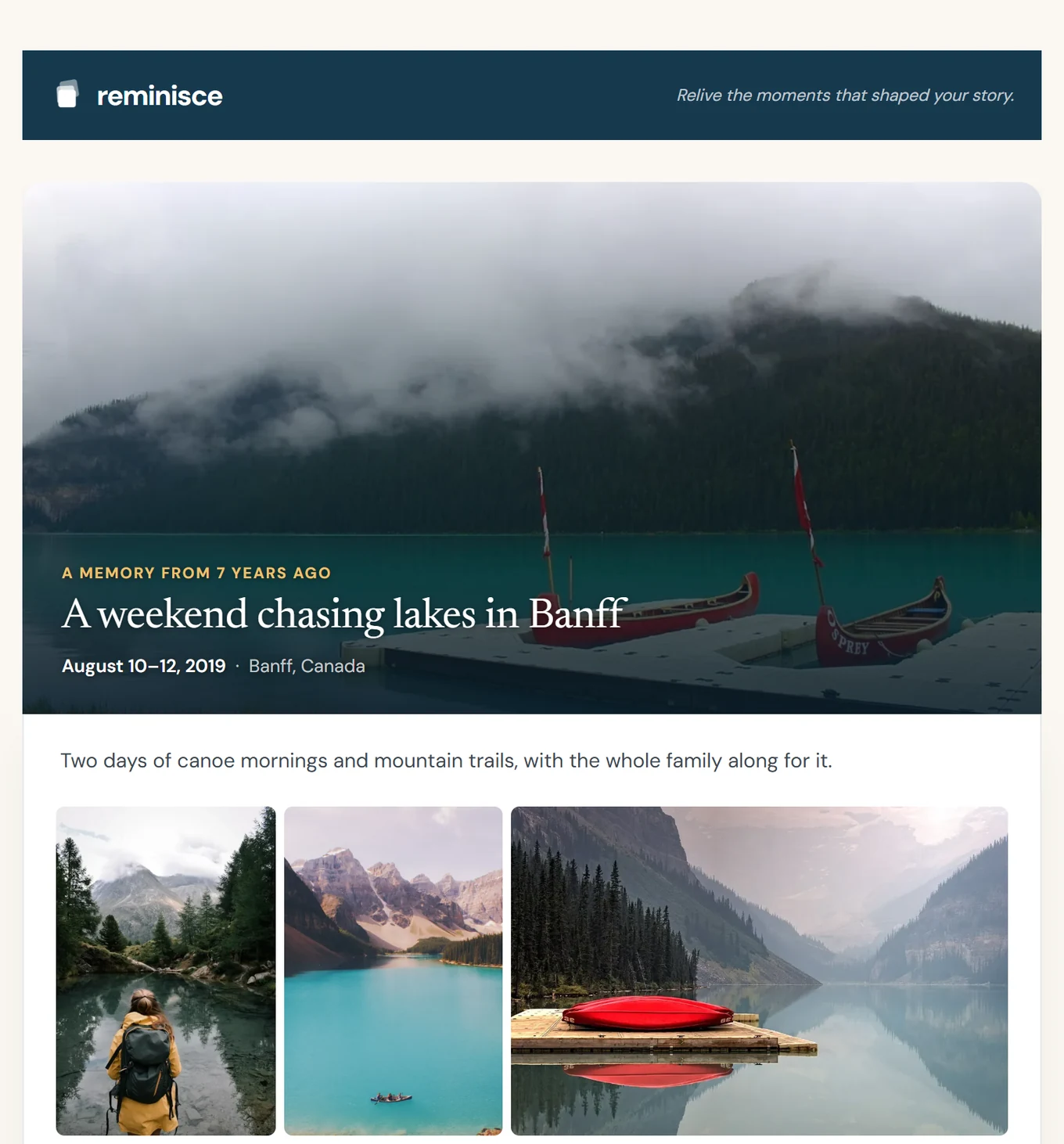
Every week Reminisce picks one memory from your library and sends it as an email: a title, a few sentences about what happened, the date and place, and the best photographs from that day or trip. It is a story you read, not a slideshow you have to remember to open.
The cadence is yours. Choose weekly, every two weeks or monthly in Settings, or pause delivery altogether. Every email carries an unsubscribe link that pauses your stories without touching your account.
Photos chosen for meaning, not by date
Reminisce does not simply show what you photographed on this day in an earlier year. It looks at capture time, location, image quality, duplicates, what is in the frame and who keeps appearing, and groups photos into occasions: the weekend away, the birthday, the walk that turned into an afternoon. Near-duplicates and low-quality shots are set aside so a memory shows the handful of pictures worth seeing again.
Each memory gets a title and a short description written for it. If the wording is not quite right, edit it in the web app and your version is kept.
A timeline across every year
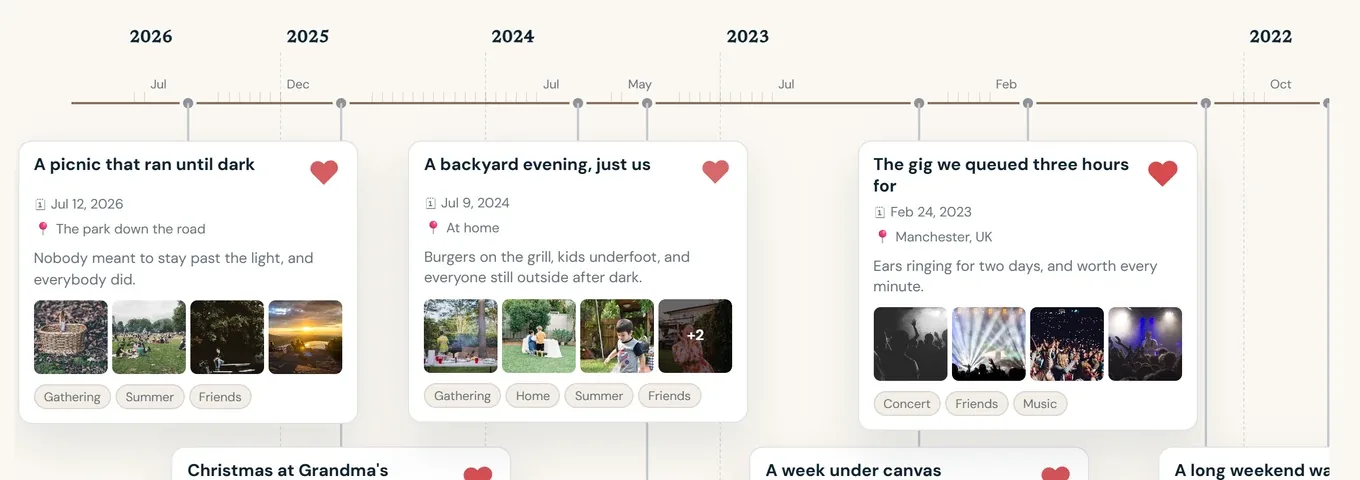
The web app lays your memories out along a single timeline, today on the left, the past stretching to the right. Scroll back through the years and see how one summer relates to the next, which places you keep returning to, and how the people in your photos change. Memories, Photos and People views let you browse the same library by occasion, by picture or by person.
People you can name
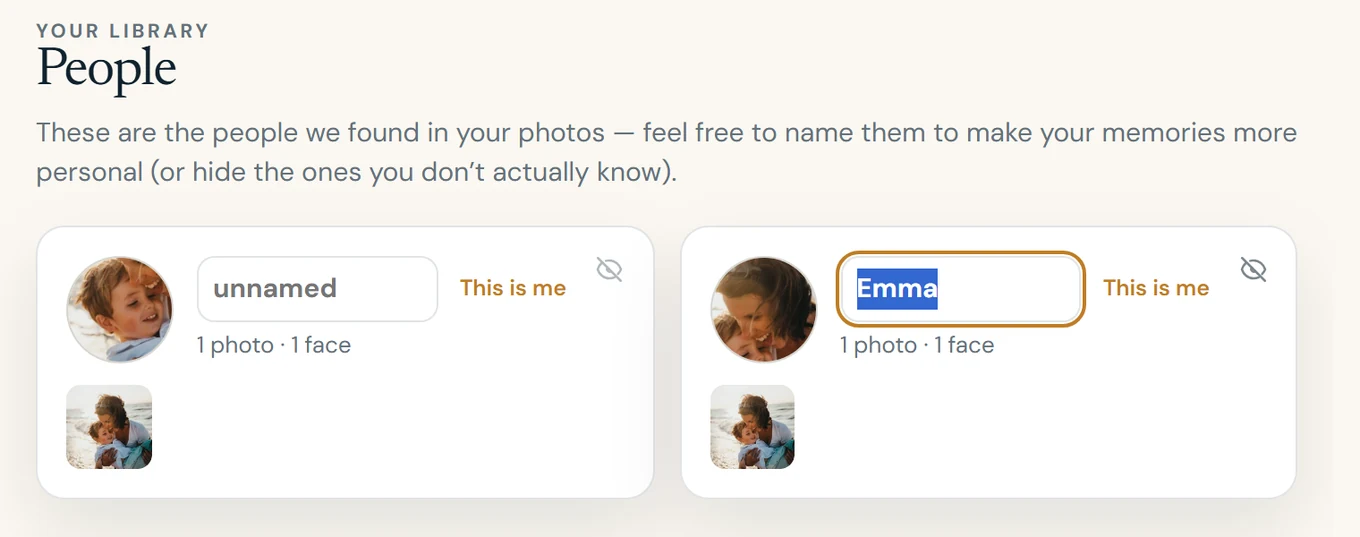
With your explicit permission, Reminisce groups recurring faces so it can tell that the same person appears across years. You can give a person a name and a relationship, mark yourself as "Me", or hide a person entirely. Face grouping is a separate choice from the rest of the service and can be switched off at any time; nothing about a person is inferred as fact.
Share a memory by email
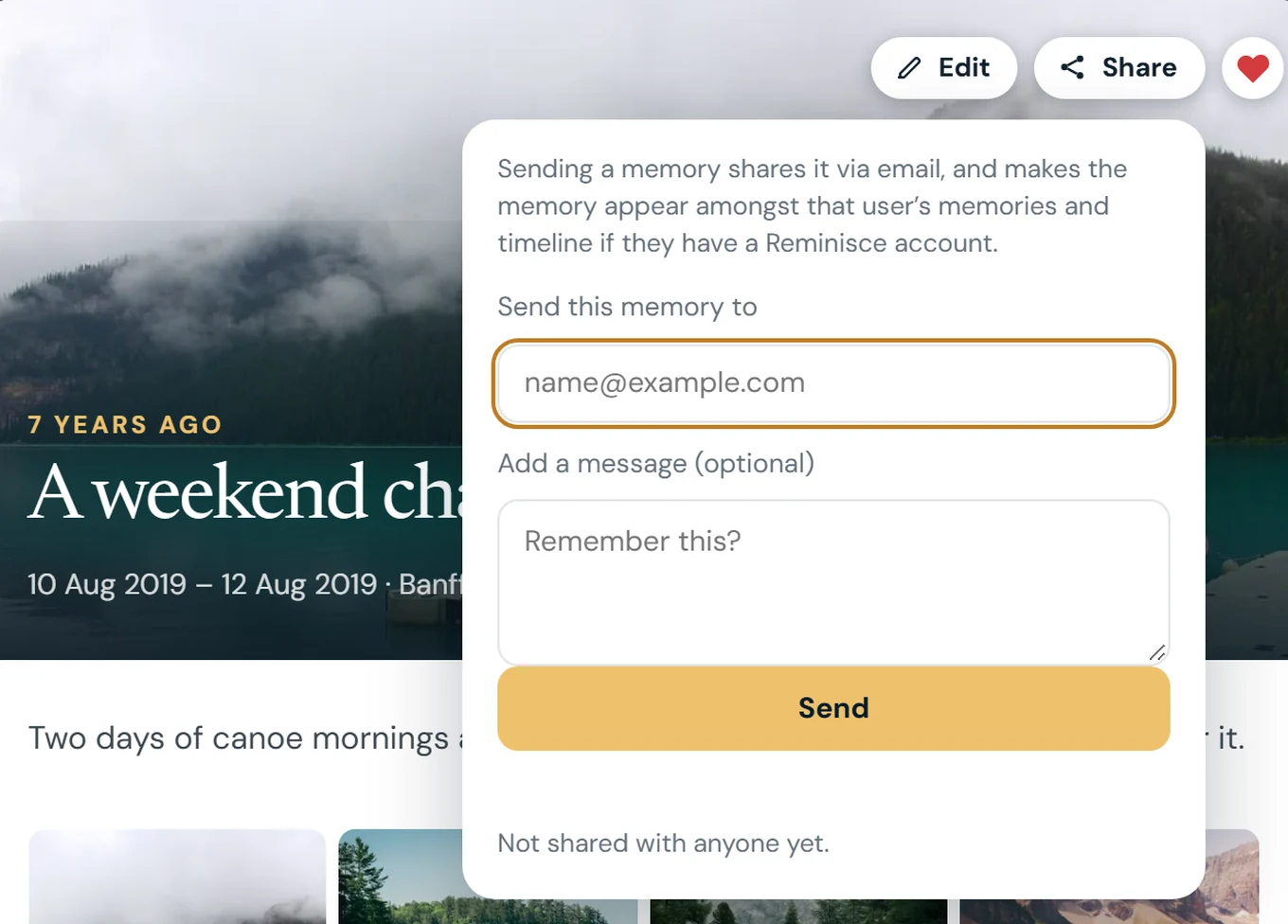
Any memory can be sent to someone by email with a message from you. They receive the story and its photos; if they later sign in to Reminisce with that address, the shared memory appears in their own library, marked as shared by you. You can revoke a share at any time, which stops future access, although emails already delivered cannot be recalled.
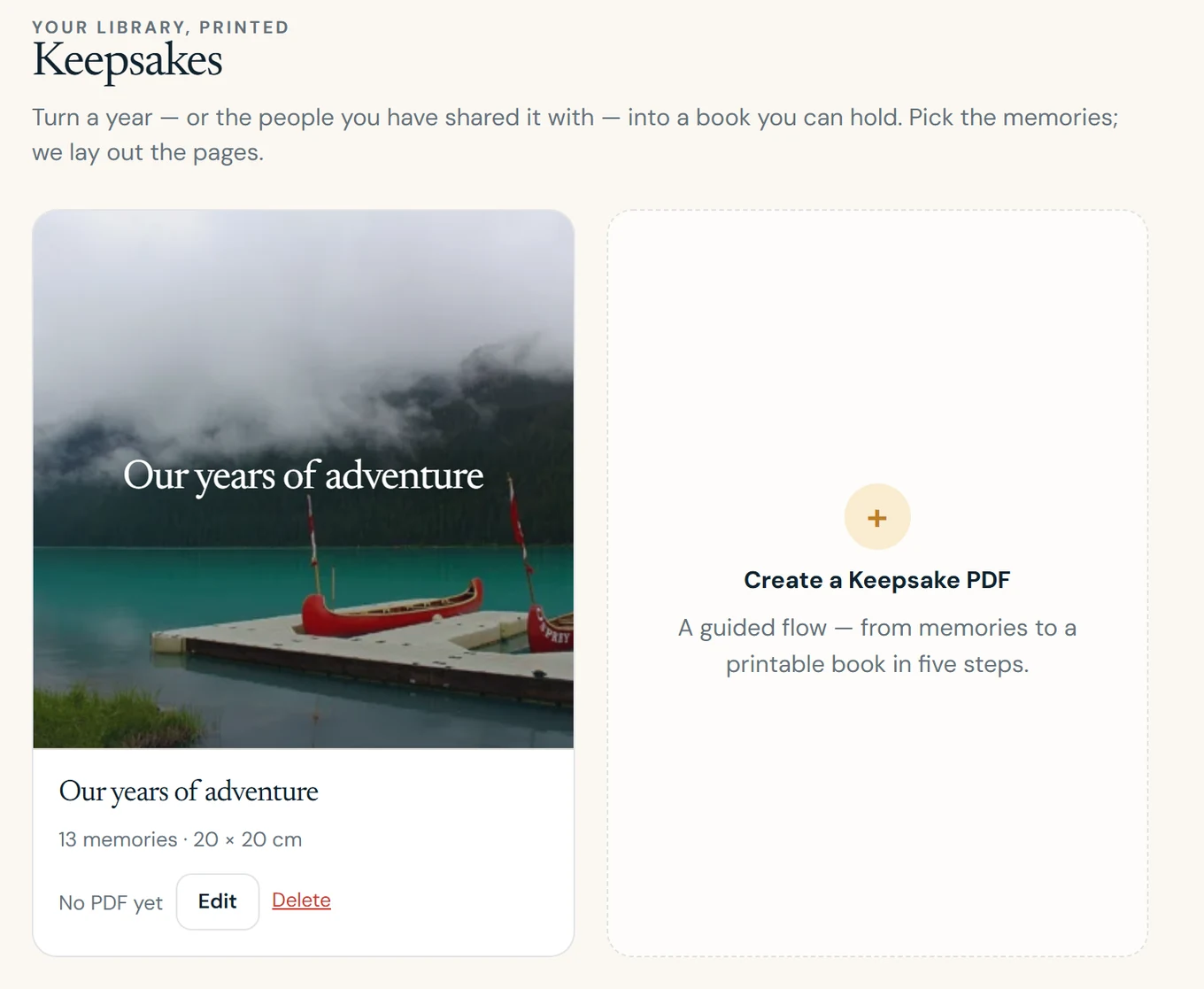
Keepsake PDF books
With Premium, turn a memory or a set of memories into a keepsake PDF: a designed booklet you can save, send to family, or take to a print shop. Reminisce produces the PDF; printing and delivery are up to you.
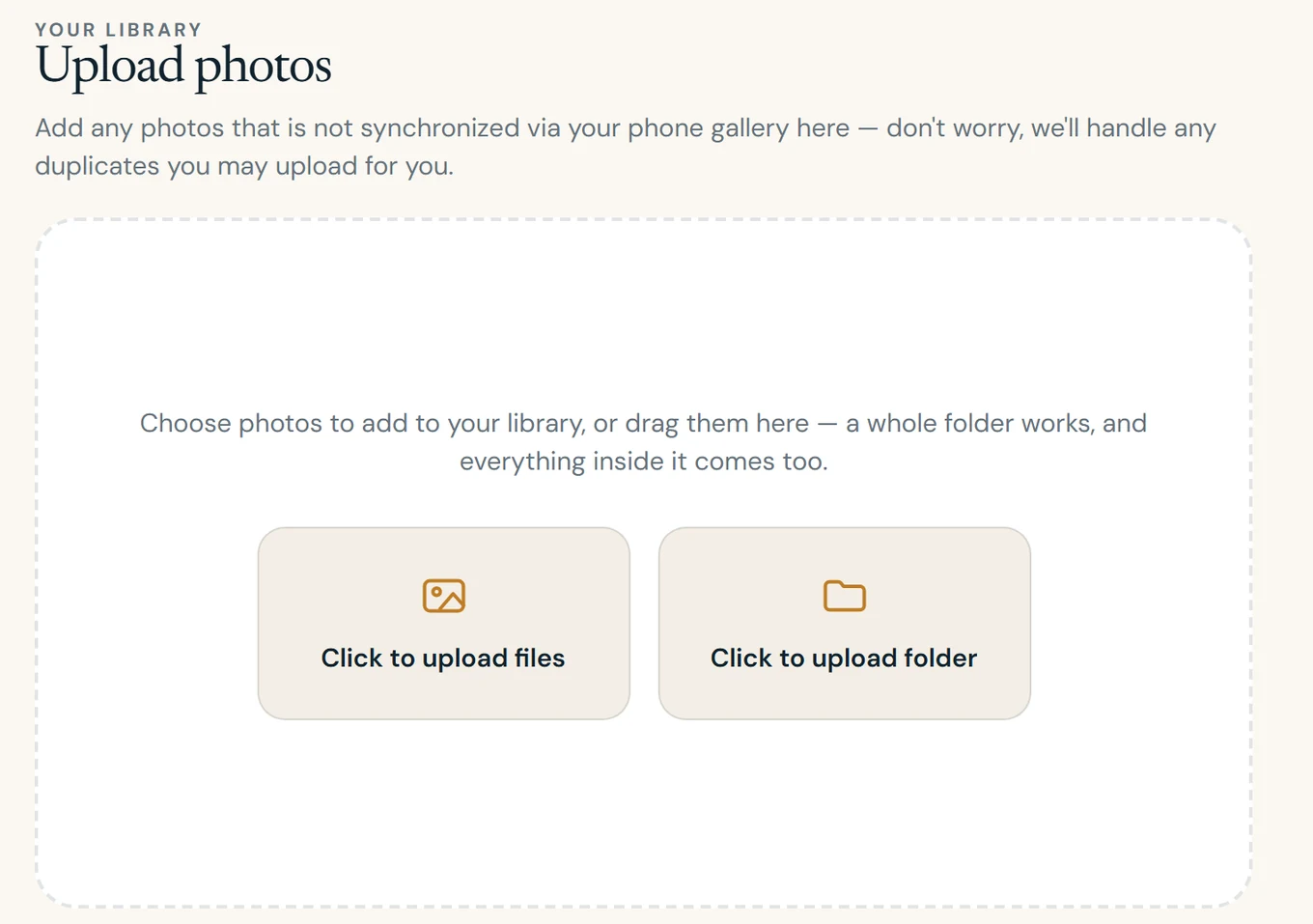
Photos that are not on your phone
Old scans, a camera's memory card, an archive on a laptop or an export from another service can be uploaded from your browser with Premium. Uploads resume if your connection drops, and everything joins the same library and timeline, ready to turn up in a memory like every other photo.
Control, export and deletion
- Hide anything. Hide a photo, a memory or a person and it stays hidden from views and future stories. Hiding is reversible.
- Take everything with you. Request an export from Settings and receive your account data and original photos as downloadable archives.
- Delete when you want. Account deletion removes your photos, derived data, keepsakes and exports, and cancels any web subscription.
- No ads. Reminisce is paid for by Premium subscriptions, not by advertising.
Reminisce works with iCloud Photos and the photo library on your iPhone today. The Android app is on its way. See what is included in Free and Premium or read our Privacy Policy.
Start remembering
Your best photos are already there.
Free to start on iPhone. Android is coming.