Google Photos is a storage service first, and its Memories are a way of reminding you what is in it. Reminisce does not store your library for you; it reads it and turns it into stories you receive. That difference shapes everything else.
| Google Photos Memories | Reminisce | |
|---|---|---|
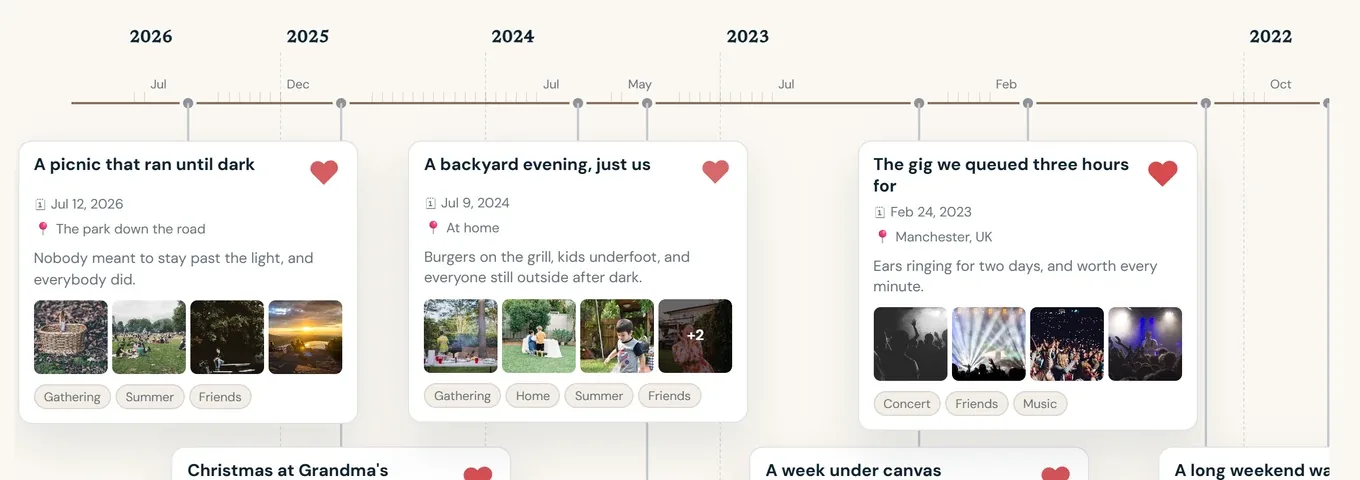
| What you get | A carousel of past photos and short collages at the top of the app | A written story with the best photos, delivered by email and kept on a web timeline |
| How you find it | Open Google Photos | It arrives in your inbox once a week |
| How photos are grouped | By date and by detected themes, a day or a highlight at a time | By occasion, with a timeline that connects places and people across years |
| Which photos | Whatever is backed up to Google Photos | Your iPhone library today, Android coming, plus archives uploaded from a browser with Premium, including a Google Takeout export |
| Where it ends | In the app, shareable as a link | Shareable by email to anyone, and as a keepsake PDF book with Premium |
| Business model | Storage plans, within Google's advertising ecosystem | Premium subscriptions; no advertising |
| Data | Google's global infrastructure | Hosted in the EU, with separate explicit consent for AI story writing and face grouping |
Where Google Photos Memories are the right choice
If your photos are already backed up to Google and you open the app often, its Memories are a free, low-effort way to see a past highlight. Its search across a huge library is also excellent.
Where Reminisce is different
- Written, delivered, kept. Each memory is a short story with a title and a place, sent by email and kept on your timeline. You do not need to open anything to receive it.
- Across years. The timeline shows how one summer relates to the next and how the people in your photos change.
- Not an advertising business. Reminisce is paid for by Premium subscribers. Your photos are never profiled for ads or used to train models.
- Hosted in Europe, consent up front. Infrastructure runs on Scaleway in Paris. Sending reduced-size photos to the AI that writes stories, and grouping faces, are separate choices you can decline or withdraw.
- Export that means it. Your account data and original photos come back to you as archives whenever you ask; deletion removes them.
If you are leaving Google Photos
Reminisce is not a replacement for the storage. Keep your originals somewhere you own. Then, with Premium, upload the Takeout export from your browser and every year of it joins the timeline. The step-by-step guide covers the export, the originals and the upload. See also everything Reminisce does and pricing.
Start remembering
Your best photos are already there.
Free to start on iPhone. Android is coming.